Creative
IT
Custom PC Builds
End-to-end custom PC builds for clients and personal projects — component selection, cable management, cooling optimization, and full configuration. From mid-range gaming rigs to flagship i9/4090 workstations, every build gets the same attention to detail.
4+
featured
Builds showcased
i9/4090
Flagship tier achieved
Full
Cable management
Both
Client & personal
Featured builds
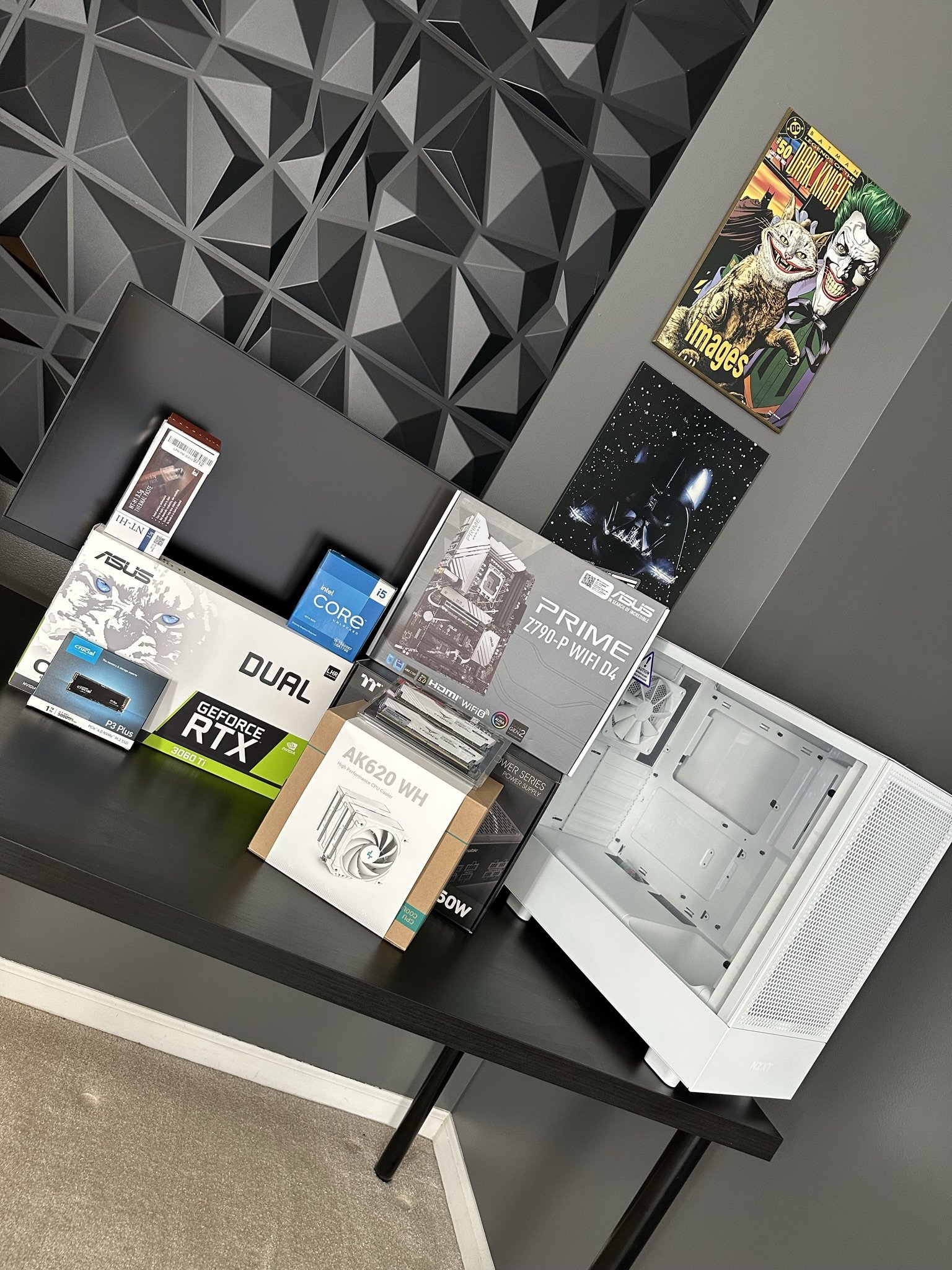
The H5 Flow Build
Intel i5-13600KF · RTX 3060 Ti · NZXT H5 Flow
Mid-Range
Client Build

Click to enlarge


About this build
A solid mid-range gaming and productivity build centered around the i5-13600KF — Intel's best-value 13th gen chip. Paired with the RTX 3060 Ti for excellent 1080p/1440p gaming performance in the clean, airflow-focused NZXT H5 Flow case. TeamForce Delta RGB 32GB DDR4 handles multitasking with room to spare.
Parts list
| CPU | Intel Core i5-13600KF |
| Motherboard | ASUS Prime Z790-P WiFi D4 |
| GPU | ASUS RTX 3060 Ti |
| RAM | TeamForce Delta RGB 32GB DDR4 3600MHz |
| CPU Cooler | DeepCool AK620 |
| Storage | Crucial P3 Plus 1TB PCIe Gen4 NVMe M.2 |
| PSU | Thermaltake Toughpower GF1 650W |
| Case | NZXT H5 Flow |
Snow Trooper
Intel i9-13900K · RTX 4090 FE · Fractal Design Meshify 2 RGB
Flagship
Personal Build

Click to enlarge


About this build
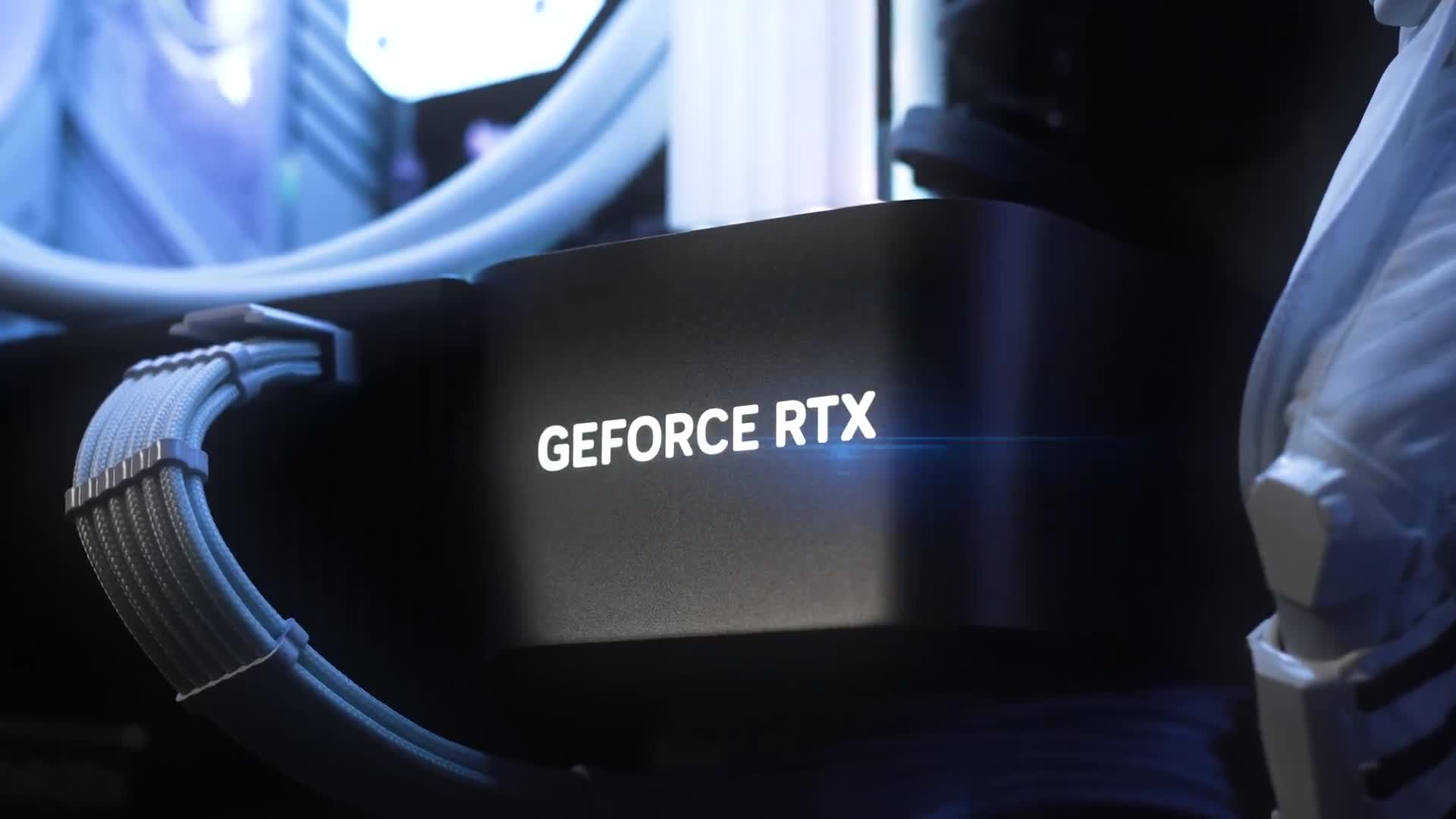
The Snow Trooper is a full flagship build — Intel's i9-13900K paired with the RTX 4090 Founders Edition in the Fractal Design Meshify 2 RGB. The white-and-black aesthetic runs throughout: white Corsair iCUE 240mm AIO, Asus ROG STRIX Z790-A, and TeamForce Xtreem 64GB for serious workstation and gaming use. Named for its clean white theme and RGB ice-blue lighting.
Parts list
| CPU | Intel i9-13900K |
| Motherboard | Asus ROG STRIX Z790-A |
| GPU | NVIDIA RTX 4090 FE |
| RAM | TeamForce Xtreem 64GB DDR4 3600MHz |
| AIO | Corsair iCUE 150i Elite Capellix |
| Storage | WD Black SN850X 1TB M.2 PCIe 4.0 NVMe |
| PSU | Corsair RM1000x |
| Case | Fractal Design Meshify 2 RGB |
The FortCon Raffle Build
Intel i7-9700KF · MSI RTX 2070 Super · ASRock B365M PRO4
Mid-Range
Sold — Kid's Christmas Present

Click to enlarge


About this build
One of the most unique builds in the collection — 80% of the components were won at a raffle at the FortCon 2022 LAN Party. The i7-9700KF, MSI RTX 2070 Super, and supporting parts were all raffle wins on the day. The remaining components were sourced to complete the build, which was fully assembled, tested, and ultimately sold as a kid's Christmas present.
Parts list
| CPU | Intel i7-9700KF |
| Motherboard | ASRock B365M PRO4 |
| GPU | MSI RTX 2070 Super |
| RAM | TeamForce 16GB DDR4 3600MHz |
| Storage | Intel 512GB M.2 SSD |
| Origin | 80% won at FortCon 2022 raffle |
| Outcome | Completed & sold — kid's Christmas present |
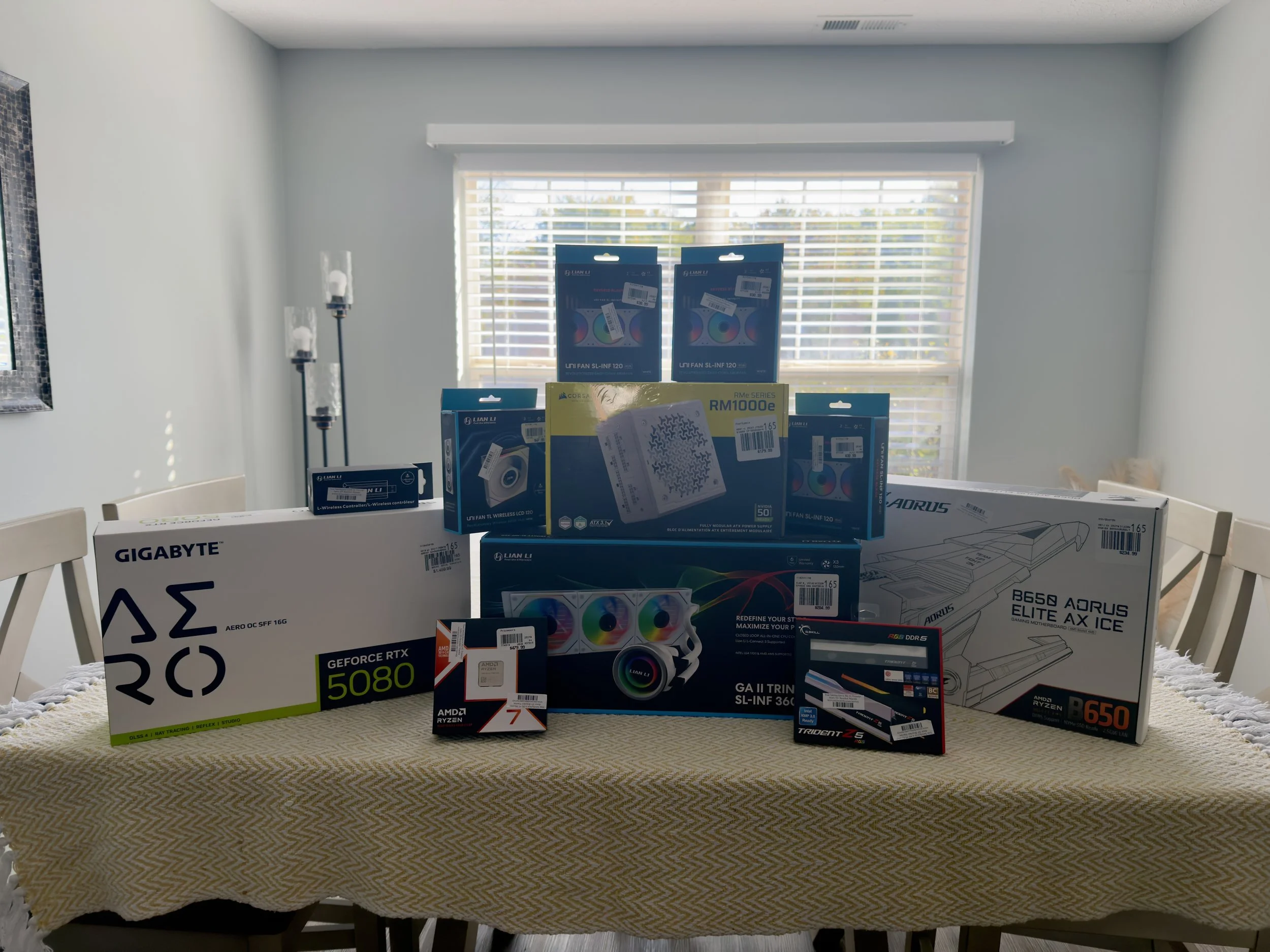
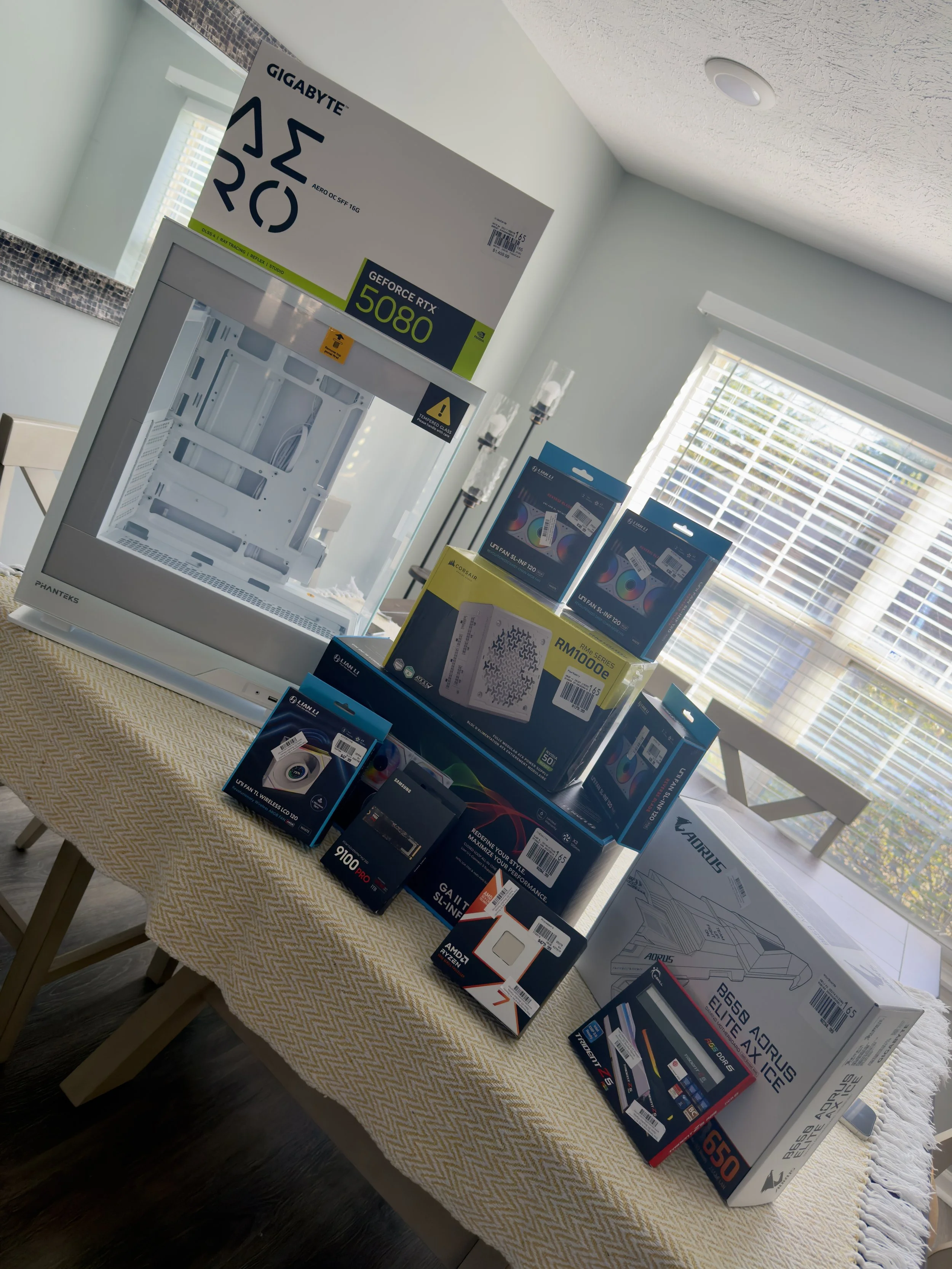
The 5080 Beast
AMD Ryzen 7 9800X3D · RTX 5080 16GB · Phanteks EVOLV X2
Flagship
Client Build

Click to enlarge
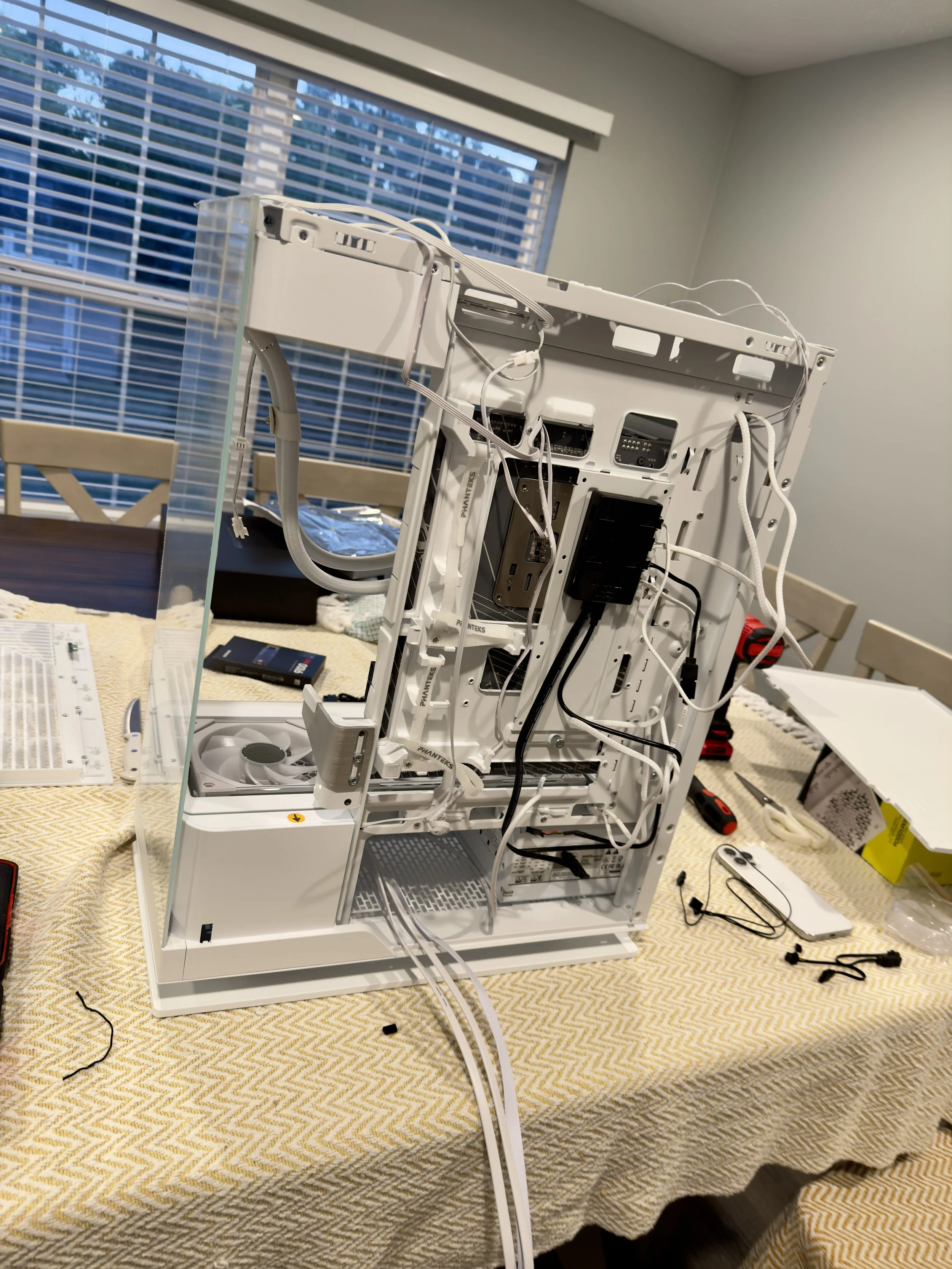
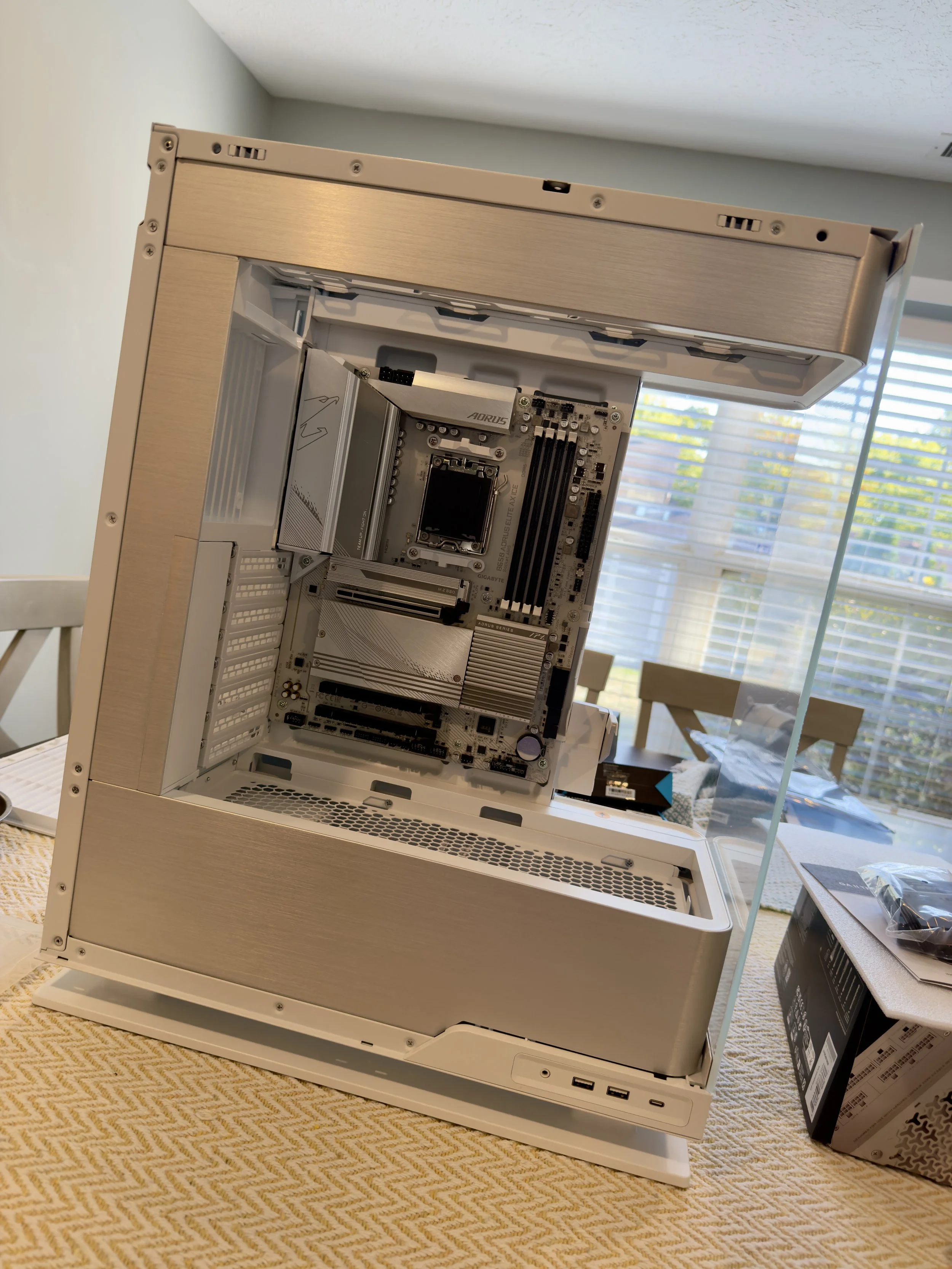
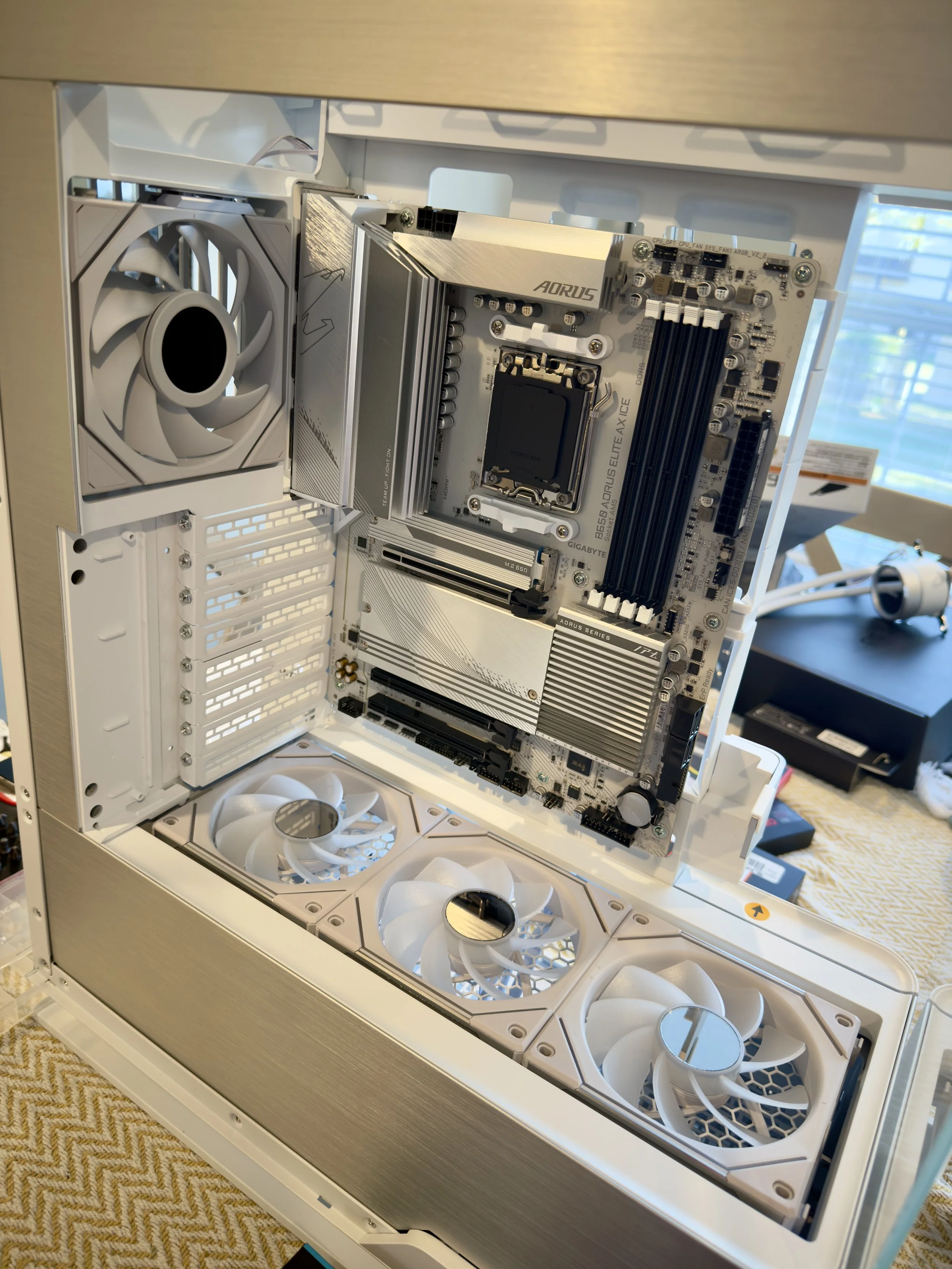
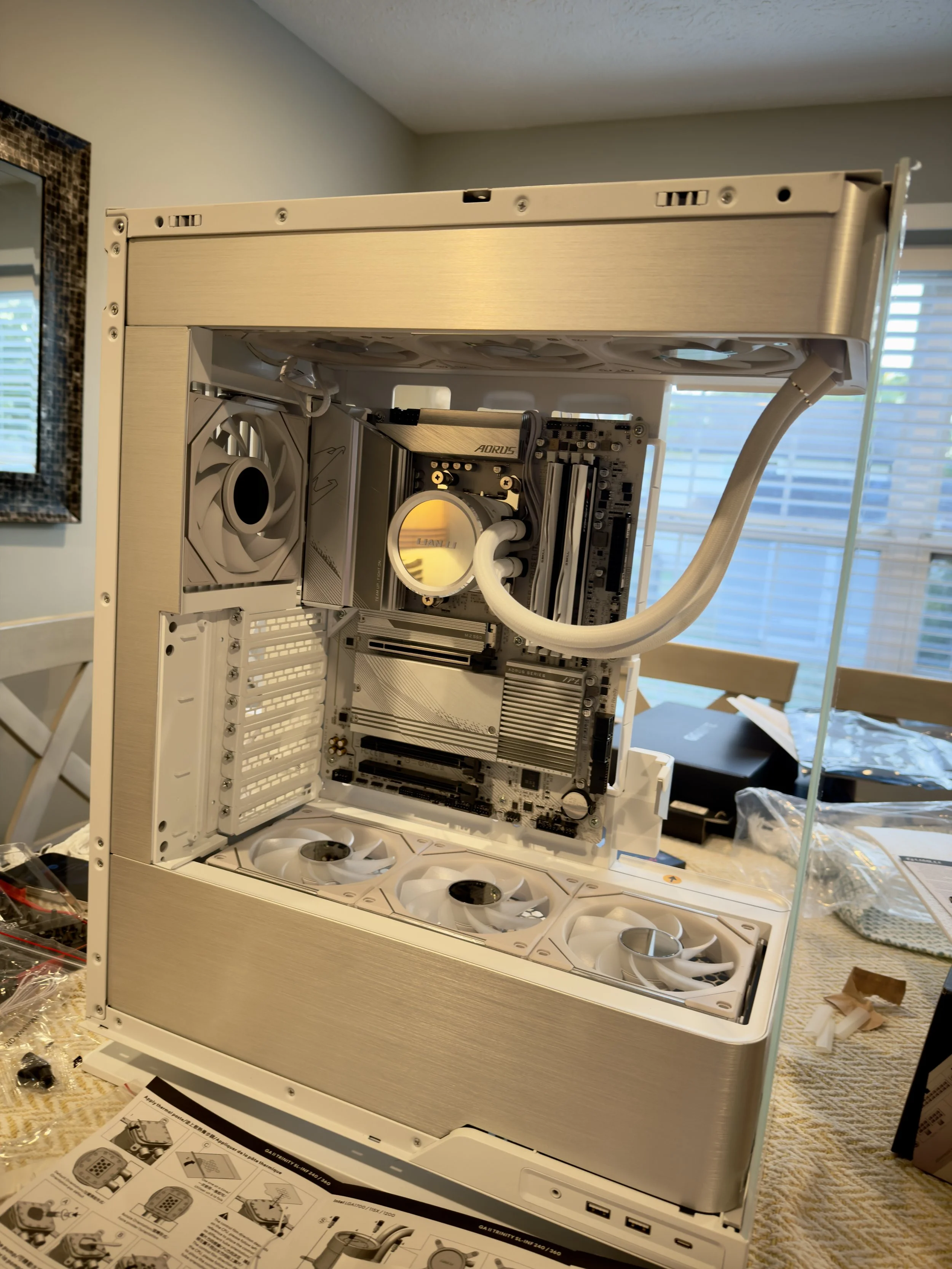
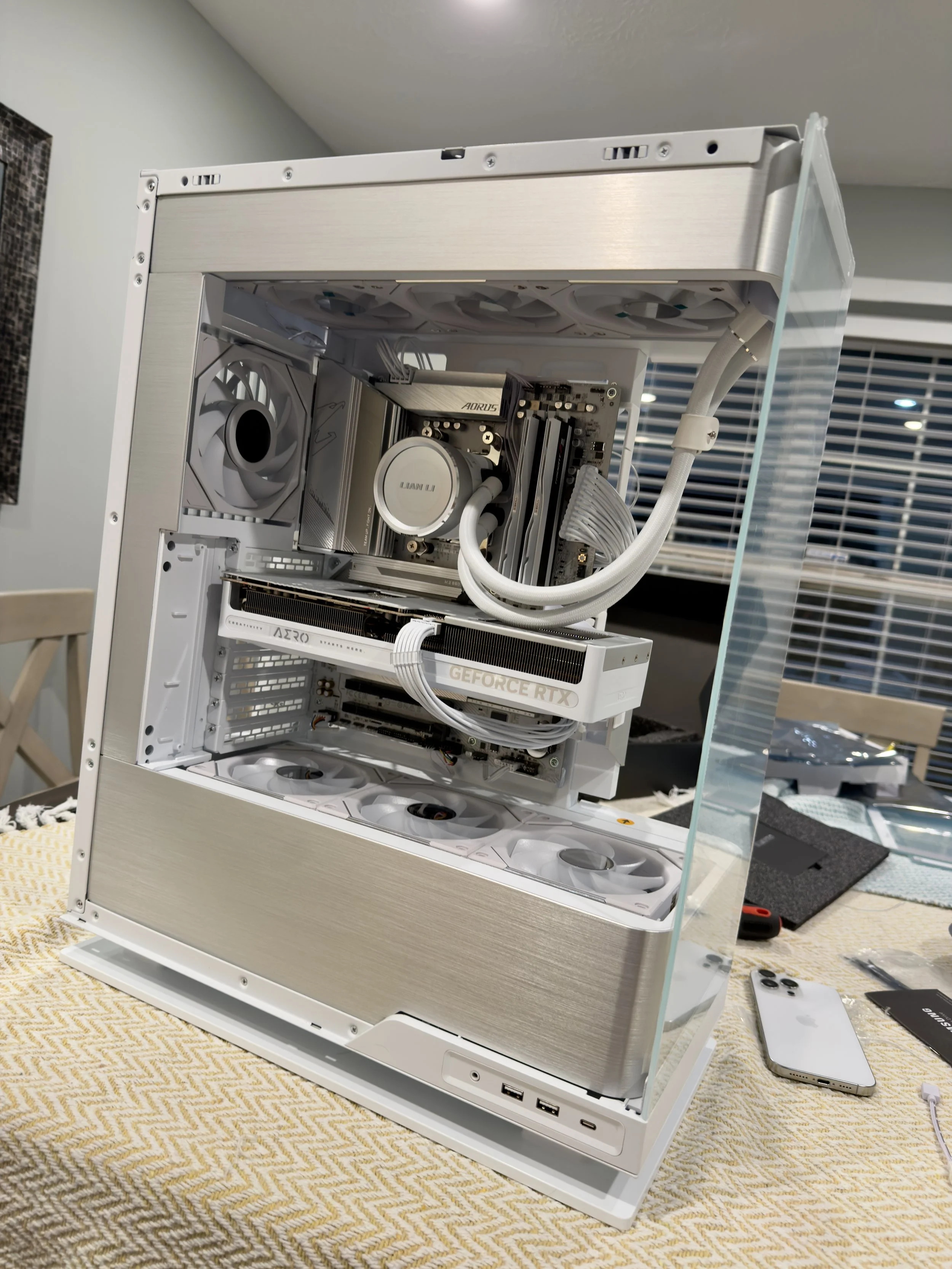
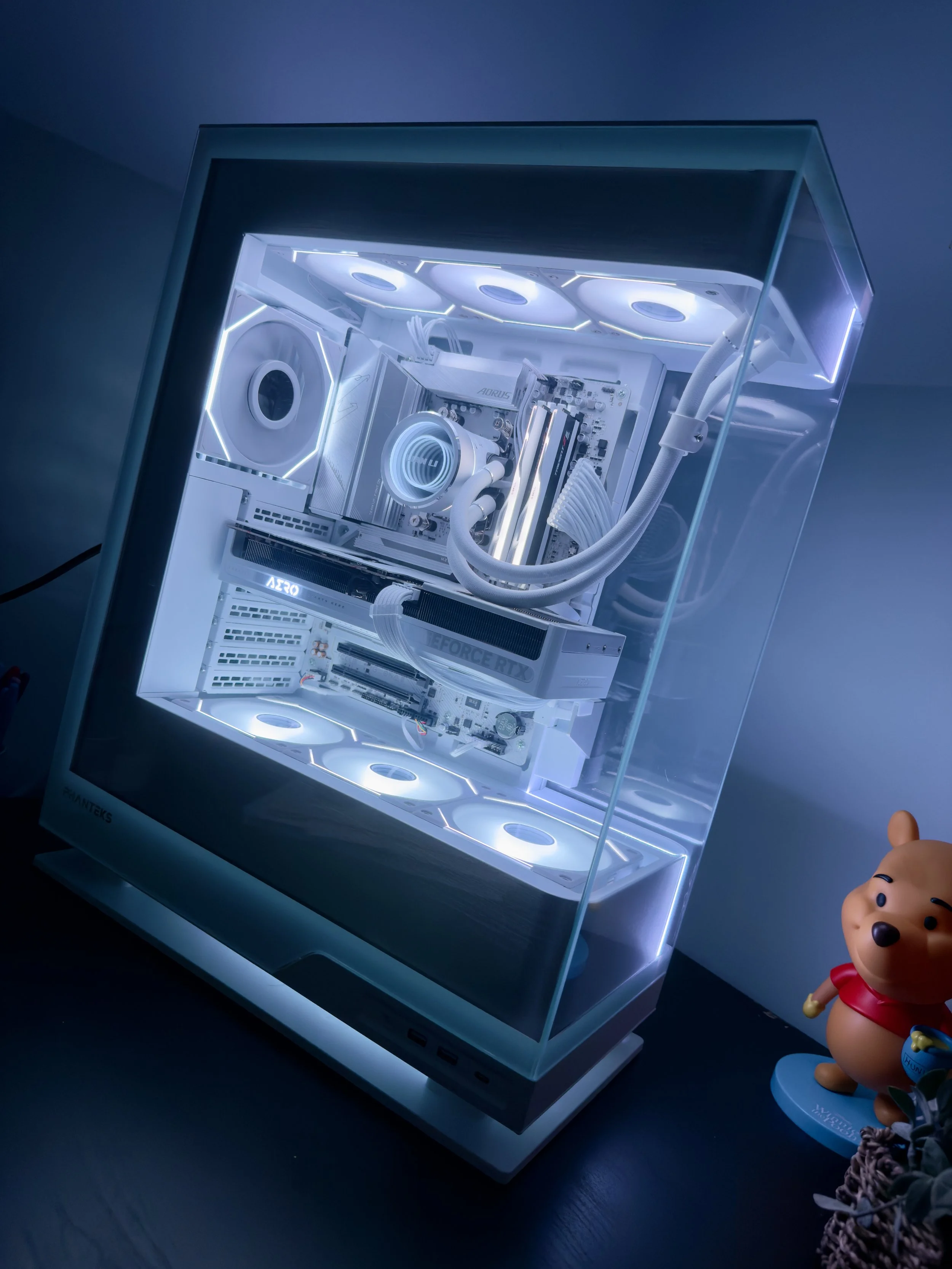
About this build
The most powerful client build to date. AMD's Ryzen 7 9800X3D — the fastest gaming CPU available — paired with the brand new Gigabyte RTX 5080 16GB AERO OC SFF and 64GB of G.Skill Ripjaws DDR5-6400 in the Phanteks EVOLV X2. Cooled by the Lian Li Galahad II Trinity 360mm AIO with six Lian Li Uni Fans for maximum airflow and aesthetics. A Samsung 9100 PRO PCIe 5.0 NVMe completes a no-compromises build.
Parts list
| CPU | AMD Ryzen 7 9800X3D 4.7GHz 8-Core |
| Motherboard | Gigabyte B650 AORUS ELITE AX ICE ATX AM5 |
| GPU | Gigabyte AERO OC SFF RTX 5080 16GB |
| RAM | G.Skill Ripjaws M5 RGB 64GB DDR5-6400 CL32 |
| AIO | Lian Li Galahad II Trinity SL-INF 61.3 CFM |
| Storage | Samsung 9100 PRO 1TB M.2 PCIe 5.0 NVMe |
| PSU | Corsair RM1000e (2025) 1000W Fully Modular |
| Case | Phanteks EVOLV X2 ATX Mid Tower |
| Fans | 6× Lian Li Uni Fan SL-Infinity + UNI FAN TL LCD |
| Peripherals | Yunzii IF99 Keyboard · Razer Basilisk V3 Pro · Razer Barracuda X |
| OS | Windows 11 Pro OEM |
Process
How every build comes together
STEP 01
Component selection
Budget and use case defined first. Parts selected for compatibility, value, and thermal headroom — no bottlenecks, no overkill.
STEP 02
Planning the layout
Cable routing planned before anything goes in the case. Airflow path mapped — intake, exhaust, and cooler placement optimized for the chassis.
STEP 03
Assembly
Clean, methodical build — thermal paste applied correctly, standoffs checked, all headers seated. No shortcuts that cause problems later.
STEP 04
Cable management
Every cable routed behind the motherboard tray or through grommets. Combs and ties used where needed. The inside looks as good as the outside.
STEP 05
POST & testing
First boot checked for POST. Temps monitored under load. RAM XMP profile enabled. No system leaves without a stress test pass.
STEP 06
OS & handoff
Windows installed, drivers updated, and RGB software configured. Client builds come with a full walkthrough of everything that was built and why.
Want a custom build?
Whether you need a gaming rig, workstation, or something in between — get in touch and let's spec something out together.